NetMirror
NetMirror APK latest version for Android, download, install, features, compatibility, safety tips, troubleshooting, and device guides.
Security Verified
NetMirror
NetMirror APK is a term used by Android users looking for an app-based way to explore and watch entertainment content. If you are searching for the NetMirror app, NetMirror APK download, installation information, supported devices, or the latest version, this guide brings the main information together in one place.
Before downloading any APK, it is important to check the version, Android compatibility, file source, permissions, and other available information. App features and compatibility can also change between releases.
NetMirror APK at a Glance
|
Detail |
Information |
|
App Name |
NetMirror |
|
Package Type |
APK for Android |
|
Platform |
Android |
|
Category |
Entertainment |
|
Current Version |
Check the latest available release |
|
Android Requirement |
Check the version-specific requirement |
|
File Size |
Check the current APK details |
|
Update Information |
Depends on the available release |
Version numbers, file sizes, Android requirements, and update dates should be checked against the specific release you intend to install rather than relying on outdated information.
What Is NetMirror APK?
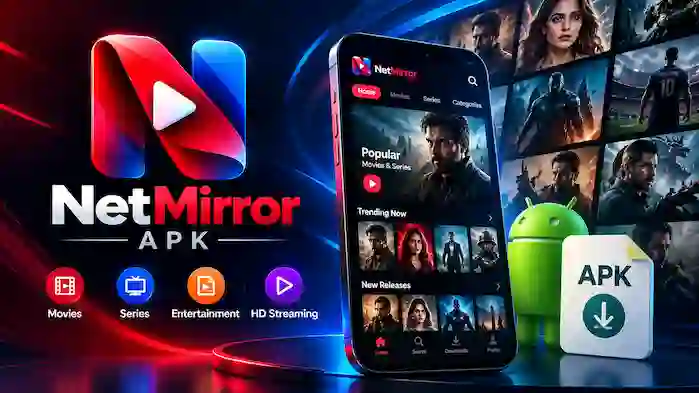
NetMirror APK refers to an Android package associated with the NetMirror app. Users searching for NetMirror generally want information about the application, its available entertainment features, compatibility, installation process, and ways to access it.
Unlike an ordinary website, an APK is an Android application package. This means that an APK is intended for installation on compatible Android devices rather than being a universal application format for every operating system.
The term NetMirror can also appear in searches involving NetMirror online, NetMirror web, NetMirror website, NetMirror for PC, NetMirror for iPhone, and NetMirror TV. These searches represent different ways users may be looking for information, so it is useful to distinguish the Android APK from web access and platform-specific options.
NetMirror APK vs NetMirror Website
An APK and a website are not the same thing. An APK is an application package intended for Android, while a website is accessed through a web browser.
If you are specifically looking for the NetMirror APK, you should check that the file is intended for Android. If you want to use a service through a browser, look for its available web option instead of assuming that an APK is required.
Why Do Users Look for NetMirror APK?
People searching for NetMirror APK may have different goals. Some want to install the Android app, while others are looking for information about its features, latest version, Android compatibility, TV support, or online access.
Common reasons users search for NetMirror include:
- Finding information about the NetMirror app
- Checking the latest available APK version
- Learning how to install an APK on Android
- Checking compatibility with a phone or tablet
- Finding Android TV information
- Understanding whether a web option is available
- Troubleshooting installation or playback problems
- Comparing NetMirror with other entertainment services
Rather than assuming that every feature is available on every release, it is better to check the specific version and device you are using.
Key Features of NetMirror APK
The features available through NetMirror can depend on the version, device, and available service configuration. The following are the main areas users commonly look for when researching the app.
Clean and User-Friendly Interface
A straightforward interface can make it easier to browse available sections, search for content, and access playback controls. The exact appearance and navigation can change when the application is updated.
Easy Search and Content Discovery
Search functionality is useful when users already know what they want to find. Depending on the available version, users may also be able to browse content through categories or sections rather than searching for individual titles.
Movies and Series
NetMirror is commonly searched in connection with movies and series. Availability of particular titles can change, so users should not assume that a specific movie or show will always be available.
Video Playback Options
Playback features can vary between releases and devices. Where supported, users may have access to different playback controls or quality options.
Subtitle and Audio Options
Subtitle and audio settings can be useful when supported by the content and application version. The availability of particular languages or tracks may vary from one title or release to another.
Fast and Smooth Playback
Playback performance depends on several factors, including the device, internet connection, available servers, and the version of the application. For that reason, claims such as “zero buffering” should not be treated as a guarantee.
Content Categories
Browsing categories can make it easier to discover content without manually searching for every title. The available categories depend on the version and service configuration.
Watchlist or Saved Content
Some users look for watchlist or saved-content functionality when choosing an entertainment app. If this feature is available in your particular NetMirror version, it can make returning to previously selected content easier.
Offline Viewing or Downloads
Offline viewing should only be expected when it is specifically supported by the version you are using. Do not assume that every NetMirror APK release includes an offline-download function.
Streaming Quality Options
Where supported, playback quality options can allow users to choose a suitable setting for their connection and device. Higher quality can require more bandwidth and may not perform equally well on every connection.
Multi-Device Compatibility
NetMirror-related searches cover Android phones, tablets, Android TV, PCs, laptops, iPhones, and other platforms. Compatibility should be checked separately for each platform because an Android APK does not automatically work on other operating systems.
Regular Updates
Updating an application can provide changes, compatibility improvements, bug fixes, or other modifications. Always check the version information before replacing an existing installation.
NetMirror APK Download
If you are searching for NetMirror APK download, first identify the version you need and confirm that it is compatible with your Android device.
Before downloading an APK, check:
- APK version number
- File size
- Android requirements
- Source of the file
- Available update information
- Requested permissions
- Device compatibility
Avoid downloading files simply because a page describes them as “latest” or “official.” Verify the available information before installing anything.
Download NetMirror APK for Android
NetMirror APK download searches commonly include phrases such as “NetMirror download,” “NetMirror download APK,” “NetMirror APK download for Android,” and “NetMirror APK download for mobile.”
These variations generally express the same basic intent: finding an Android package and installing it on a compatible device.
For users who need detailed instructions, the dedicated download guide can explain the available version information and what to check before installation.
What to Check Before Installing an APK
An APK should be treated as software that is being installed outside the normal app-store workflow. Check the file source, version information, permissions, and compatibility before proceeding.
It is also a good idea to keep your Android device’s security features enabled and avoid files from sources you do not trust.
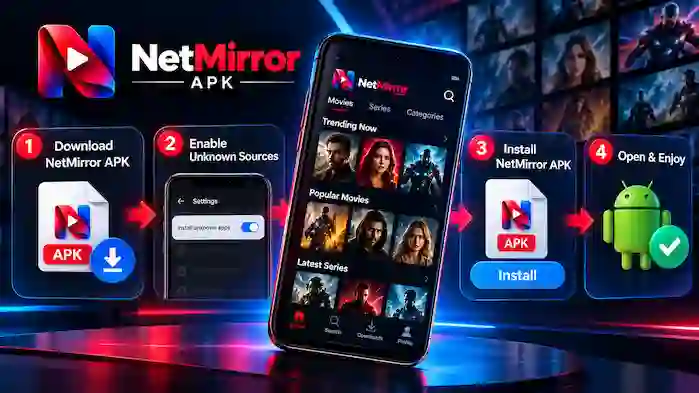
How to Install NetMirror APK on Android
Installing an APK can be straightforward when the file is compatible with your device.
Step 1: Download the APK
Obtain the APK file from a source you trust and make sure the file corresponds to the version you intend to install.
Step 2: Check Device Compatibility
Before installation, check the Android requirement and confirm that your phone or tablet is compatible with the release.
Step 3: Locate the Downloaded File
Open your device’s file manager or downloads folder and locate the APK you downloaded.
Step 4: Review Android Installation Settings
Android may display a security prompt when an application is being installed from outside the normal app-store process. Review the warning and your device’s settings carefully.
Step 5: Install NetMirror APK
Follow the installation prompts displayed by Android. If the installation fails, check the file, storage space, Android compatibility, and installation settings.
Step 6: Open the App
After installation finishes, open NetMirror and review the application’s available options.
Installation Tips
For a smoother installation:
- Use a compatible APK version.
- Make sure sufficient storage is available.
- Avoid incomplete or corrupted files.
- Check the Android version requirement.
- Review application permissions.
- Keep your device security protections enabled.
How to Use NetMirror APK
Once the application is installed, the exact interface may differ depending on the version.
Getting Started
Open NetMirror and become familiar with the main screen and navigation options.
Explore the Home Screen
Look through the available sections to understand how content is organized.
Search for Movies or Shows
Use the search function when you already have a particular title in mind, if search is available in your version.
Browse Categories
If categories are available, they can help you discover content without entering individual search terms.
Select Content
Choose the title you want to view and review the options displayed by the application.
Start Playback
Select the available playback option and allow the video to load.
Adjust Playback Settings
Where available, adjust supported options such as playback quality, subtitles, audio, or other controls.
NetMirror APK for Android Phones and Tablets
Android is the primary platform associated with APK files, making compatibility an important part of the NetMirror APK experience.
Android Phone Compatibility
Before installing NetMirror on an Android phone, check the Android requirement of the particular APK release. Different devices can behave differently even when they run the same Android version.
Android Tablet Compatibility
Tablets may also be compatible when they meet the application’s requirements. Screen size, Android version, available storage, and device performance can affect the experience.
Android Requirements
Do not rely on a single Android requirement quoted by an outdated website. Check the requirements associated with the specific release you are installing.
Common Android Installation Issues
If NetMirror does not install, possible causes can include:
- Incompatible Android version
- Damaged APK file
- Insufficient storage
- Installation settings
- Conflicting application versions
- Device-specific compatibility issues
NetMirror APK for Android TV
Searches such as NetMirror APK for Android TV, NetMirror Android TV APK, and NetMirror TV app indicate that users are also interested in larger-screen Android devices.
Android TV Compatibility
Android TV compatibility should be checked separately from ordinary Android-phone compatibility. An application that works on a phone may not provide the same interface or controls on a television.
How to Install NetMirror on Android TV
If a compatible Android TV version is available, follow the installation method appropriate for your device and version. Check the APK requirements before attempting installation.
Using NetMirror With a TV Remote
A TV interface may behave differently from a touchscreen interface. Navigation, focus controls, and remote compatibility can depend on how the application is designed.
NetMirror for PC and Laptop
Users frequently search for NetMirror for PC, NetMirror PC, NetMirror for laptop, and NetMirror APK for PC.
An Android APK should not automatically be described as a native Windows or macOS application. APK files are designed for Android, while PCs normally use desktop applications or web browsers.
Can NetMirror Be Used on a PC?
The answer depends on what access options are currently available. If a compatible web version exists, it may be accessed through a browser. If an Android-compatible environment is supported, that is a different setup from having a native PC application.
NetMirror on Windows
Check whether a genuine Windows-compatible option is available rather than assuming that an Android APK can be installed directly on Windows.
NetMirror on Laptop
Laptop users should first determine whether they are looking for browser access or an Android application. These are different methods and should be treated separately.
Browser vs Android APK
A browser-based service does not require the same installation process as an APK. If your goal is simply web access, an APK may not be necessary.
NetMirror for iPhone and iPad
Searches for NetMirror for iOS, NetMirror for iPhone, and NetMirror iOS app represent another important search intent.
Is NetMirror Available on iOS?
Availability should be checked using current, reliable information for the service. Do not assume that an Android APK can be installed on an iPhone.
APK vs iOS App
APK is an Android application package format. iPhone and iPad applications use Apple’s application ecosystem, so an Android APK is not the normal installation format for iOS.
This distinction is especially important for searches such as “NetMirror APK iOS” or “NetMirror APK download iOS.” A page should not imply that an Android APK can simply be installed on an iPhone.
Options for iPhone Users
If a compatible iOS application or web-based option is available, users should follow the installation or access method intended for iPhone and iPad rather than trying to install an Android APK.
NetMirror Online and Web Access
Some users search for NetMirror online, NetMirror web, NetMirror website, or NetMirror watch online because they are looking for browser-based access instead of an Android installation.
NetMirror Website vs APK
A website and an APK are different access methods. A website is opened in a browser, while an APK is installed as an Android application.
Can NetMirror Be Used Online?
This depends on whether a currently available web version exists. Users should verify the actual web address rather than assuming that every domain using the NetMirror name is legitimate.
Web Access on Mobile and Desktop
Web access, when available, can potentially be used through a compatible browser. This may be more convenient for users who do not want to install an Android APK.
NetMirror Login
The keyword NetMirror login suggests that some users are specifically looking for account or sign-in information.
Does NetMirror Require an Account?
Whether a login is required depends on the particular service and version being used. Do not enter personal credentials on a page simply because it displays a NetMirror login form.
Common Login Problems
If an account-based feature is available but login does not work, check the service’s current requirements, connection, credentials, and account status. Avoid sharing passwords or sensitive account information with third parties.
Is NetMirror APK Safe to Use?
Safety is an important consideration whenever an APK is installed outside a standard app-store environment.
Security Considerations
Before installing an APK, consider where it came from and whether the file appears to be the genuine release you intended to obtain.
APK Source and File Verification
Check:
- Download source
- File name
- Version number
- File size
- Available checksums or verification information
- Update information
Avoid files that appear modified or are distributed with suspicious instructions.
App Permissions
Review the permissions requested during installation or when the app first runs. Permissions should make sense for the application’s functionality.
Privacy Considerations
Avoid entering unnecessary personal information into unfamiliar applications or websites. Be particularly careful with requests for passwords, payment information, or unrelated account details.
Safe APK Installation Practices
Keep Android security features enabled, maintain your device software, use trusted sources, and remove applications that behave unexpectedly.
No website should promise that an APK is automatically “100% safe” without appropriate evidence.
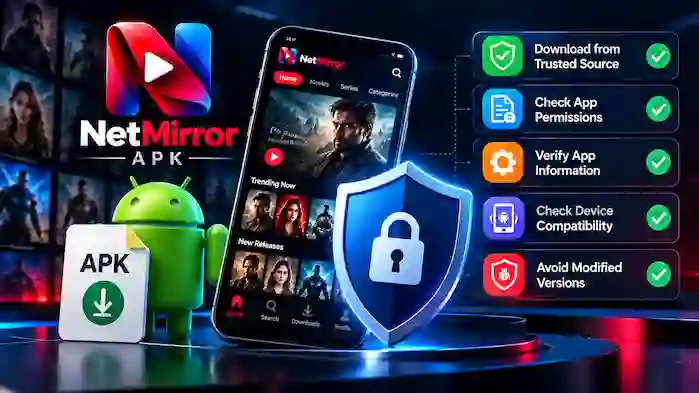
NetMirror APK Pros and Cons
Pros
- Provides an Android-focused application option where compatible.
- Offers a dedicated app experience rather than relying entirely on a browser.
- Can make content discovery convenient when supported by the current version.
- May provide different playback or browsing options depending on the release.
- Has multiple device-related search intents, including Android phones and Android TV.
Cons
- Compatibility can vary between devices and versions.
- APK installation requires additional attention to file source and security.
- Features can change between releases.
- Availability of particular content or functions may vary.
- Android APK files are not directly interchangeable with iOS applications.
NetMirror APK Troubleshooting
If NetMirror is not working correctly, start with the basics before assuming that the application itself is broken.
NetMirror APK Won’t Install
Check Android compatibility, storage space, file integrity, and installation settings. If another version is already installed, an incompatible version conflict may also be involved.
NetMirror APK Is Not Opening
Restart the device and check whether the installed version is compatible. If the problem continues, reinstalling a verified compatible release may help.
NetMirror Keeps Crashing
Crashes can result from compatibility problems, insufficient resources, application bugs, or conflicts with a particular device configuration.
NetMirror Is Not Working
First determine whether the problem affects the entire application or only a particular feature. Checking the internet connection and application version can help narrow down the cause.
Videos Are Not Playing
Playback problems can be caused by connectivity, content availability, application issues, or device compatibility.
Playback Is Buffering
Check the internet connection and try an appropriate playback quality where such controls are available. Network conditions can have a significant effect on streaming performance.
NetMirror APK Update Problems
If an update will not install, check whether the new release is compatible with your Android version and whether the existing installation needs to be removed first. Always consider your data and settings before uninstalling an existing application.
NetMirror Is Not Compatible With My Device
Check the specific Android requirements of the APK rather than relying on general claims about compatibility. Device manufacturers and Android versions can differ significantly.
What’s New in the Latest NetMirror Version?
When a new NetMirror version becomes available, users may want to know whether it includes interface changes, bug fixes, performance improvements, compatibility updates, or new functionality.
However, a changelog should only be reported when it can be verified. Avoid publishing invented version numbers or feature lists simply to make a page appear current.
Before updating, compare:
- Version number
- Release information
- Android requirements
- File size
- Major feature changes
- Compatibility information
NetMirror APK vs Other Streaming Apps
The NetMirror can also be compared with established entertainment services, but each service has its own catalog, pricing model, platform support, and distribution method.
NetMirror vs Netflix
Netflix is an established subscription streaming service with its own official applications and content licensing model. NetMirror should not be presented as equivalent to Netflix simply because both are associated with video entertainment.
NetMirror vs Disney+
Disney+ is another established streaming service with its own official platform and content catalog. Availability varies by country and subscription.
NetMirror vs Amazon Prime Video
Prime Video is part of Amazon’s official entertainment ecosystem. Users comparing it with NetMirror should consider official availability, pricing, catalog, and supported devices.
NetMirror vs Tubi
Tubi is known for its ad-supported streaming model in supported markets. Users should compare its official availability and catalog with whatever access NetMirror provides.
NetMirror vs Pluto TV
Pluto TV offers a combination of live channels and on-demand content in supported markets. Its availability and content differ by region.
Best NetMirror Alternatives
If NetMirror does not meet your requirements, the right alternative depends on what you need.
For established streaming services, users may consider options such as:
- Netflix
- Disney+
- Amazon Prime Video
- Tubi
- Pluto TV
For APK discovery and application reference purposes, some users may also encounter:
- APKMirror
- APKPure
- Uptodown
These are different types of services, so they should not be treated as direct substitutes for a streaming application.
NetMirror APK FAQ
What is NetMirror APK?
NetMirror APK refers to an Android application package associated with the NetMirror app. Users typically search for it when looking for installation, download, compatibility, and feature information.
What is the latest NetMirror APK version?
The latest version can change over time. Check the current release information rather than relying on an old version number published elsewhere.
How do I download NetMirror APK?
Find the appropriate Android release, check its version and compatibility information, and download the APK from a source you trust.
How do I install NetMirror APK on Android?
Download a compatible APK, locate the file, review Android’s installation settings, and follow the installation prompts. Check the troubleshooting section if installation fails.
Is NetMirror APK free?
Availability and access conditions can depend on the particular version and service. Check the current information associated with the release you are using.
Does NetMirror work on Android TV?
Android TV compatibility should be checked against the specific version and device. An Android phone-compatible APK is not automatically guaranteed to provide the same experience on a TV.
Can I use NetMirror on PC?
That depends on whether a compatible web or PC access method is currently available. An Android APK is not the same as a native Windows or macOS application.
Is NetMirror available for iPhone?
An Android APK cannot normally be installed on an iPhone. Check whether a compatible iOS application or web-based access option is currently available.
Can I use NetMirror online?
If a current web-based option exists, it can be accessed through a compatible browser. Verify the actual website before entering personal information.
Does NetMirror require login?
Login requirements can vary depending on the service or version. Do not provide credentials to an unfamiliar or unverified website.
Why is NetMirror APK not installing?
Common causes include an incompatible Android version, insufficient storage, a damaged APK, conflicting installations, or installation settings.
Why is NetMirror not working?
Check your internet connection, application version, device compatibility, and whether the problem affects the entire application or only one feature.
Is NetMirror APK safe?
There is no universal “100% safe” guarantee for an APK simply because a website says so. Check the source, file information, permissions, and security of your device before installing.
Final Thoughts on NetMirror APK
NetMirror APK is searched by users looking for information about an Android entertainment application, its latest releases, download options, installation process, and compatibility with different devices.
The most important step is to match the APK to your device and verify the file before installation. Android phones, tablets, Android TV devices, PCs, and iPhones do not all use the same application format, so platform-specific information matters.
If you are looking for the latest NetMirror information, start by checking the current version and compatibility details, then follow the appropriate download or installation guide for your device.
Check the Latest NetMirror APK