NetMirror for Android APK is a search term used by Android users looking for information about the NetMirror app on phones and tablets. This guide explains Android compatibility, APK requirements, installation considerations, supported devices, and common issues you may encounter when using the application.
If you are specifically looking for the download file, visit the NetMirror APK Download page. If you already have the APK and need installation instructions, see the NetMirror APK Install guide.
What Is NetMirror for Android?
NetMirror for Android refers to using the NetMirror application on a compatible Android phone or tablet.
An APK is the package format used to install Android applications. Therefore, searches such as NetMirror for Android APK, NetMirror APK for Android, and NetMirror Android APK generally indicate that the user wants an Android-compatible version of the application.
The exact features, requirements, and interface can vary depending on the release and device.
NetMirror APK for Android
Android users can encounter several different search variations, including:
- NetMirror APK for Android
- NetMirror for Android APK
- NetMirror Android APK
- NetMirror APK for Android mobile
- NetMirror APK for Android phone
- NetMirror Android app
- NetMirror app for Android APK
These keywords generally have the same core intent: finding information about using NetMirror on an Android device.
However, not every APK release is guaranteed to work on every Android phone. Checking compatibility before installation is therefore important.
NetMirror Android Compatibility
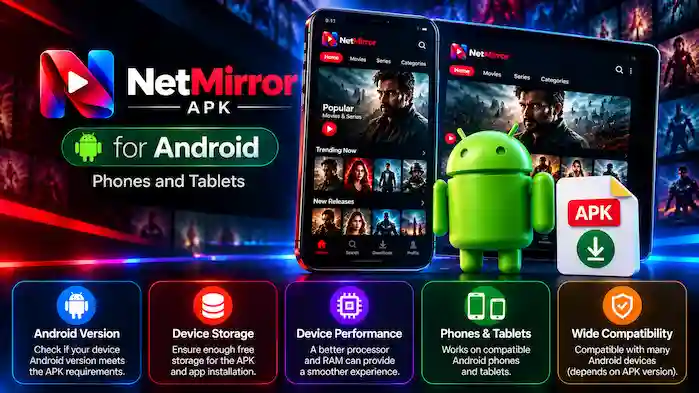
Compatibility depends on the Android version, device hardware, available storage, and requirements of the specific APK release.
Before installing NetMirror, check:
Android Version
Find the Android version installed on your device and compare it with the requirements of the APK you intend to use.
A newer application release may require a newer Android version, while an older device may need an earlier compatible release.
Device Storage
Make sure there is enough free storage for the downloaded APK and the installed application.
Low storage can cause installation failures or performance problems.
Device Performance
The overall experience can vary depending on your device’s processor, memory, display, and other hardware characteristics.
A device that meets the minimum software requirements may still perform differently from a newer or more powerful phone.
NetMirror for Android Phones
Android phones are one of the main device categories associated with APK installation.
If you are using NetMirror on a phone, the basic process involves obtaining a compatible APK, checking its information, and installing it through Android’s application installation process.
Android Phone Requirements
Before installing, check:
- Android version
- Available storage
- APK version
- Device compatibility
- File integrity
- Application permissions
Do not assume that an APK described as the “latest version” will automatically work on every Android phone.
NetMirror for Android Tablets
NetMirror may also be relevant to Android tablet users when the particular release supports the device.
Tablets can use different screen sizes, resolutions, Android versions, and hardware configurations, so the user experience may differ from a phone.
Before installing NetMirror on a tablet, verify the APK requirements and make sure the application interface is suitable for the larger display.
How to Download NetMirror for Android
If you need the NetMirror APK for an Android device, start by identifying the version that matches your device.
Step 1: Check Your Android Version
Open your device settings and find the Android version information.
Step 2: Check the APK Requirements
Compare your Android version with the requirements listed for the NetMirror release.
Step 3: Check Storage
Make sure there is enough free space for the APK and installation.
Step 4: Download the APK
Obtain the compatible APK from a source you trust.
Step 5: Verify the File
Before opening it, check the file name, version, size, and other available information.
For complete download information, visit our NetMirror APK Download page.
How to Install NetMirror on Android
Once you have a compatible APK, you can follow the normal Android APK installation process.
Step 1: Locate the APK
Open the Downloads folder or your device’s file manager.
Step 2: Open the File
Tap the downloaded NetMirror APK to begin the installation process.
Step 3: Review Android’s Security Prompt
Android may display a warning when an application is being installed outside the standard app-store process.
Read the warning and review the source before continuing.
Step 4: Complete Installation
Follow the installation prompts shown on your device.
Step 5: Open NetMirror
Once installation is complete, open the application and review the available options.
For detailed instructions and troubleshooting, see our NetMirror APK Install page.
NetMirror Android Features
Features can differ depending on the version and device, so they should not be treated as identical across every release.
Users commonly look for the following types of functionality:
Simple Navigation
A straightforward interface can make it easier to move between different sections of the application.
Search
A search function can help users find specific content when it is supported by the installed version.
Content Categories
Categories can provide another way to browse available content without searching for individual titles.
Video Playback
The application may provide playback controls and available quality settings depending on the release.
Subtitle Options
Where supported, subtitle settings can make content easier to follow in different languages.
Audio Options
Some releases or content may provide different audio options. Availability depends on the application and content.
Device Compatibility
Android support can cover different phones and tablets, but compatibility should always be checked against the specific APK release.
NetMirror for Android Mobile
The phrase NetMirror APK for Android mobile is commonly used by users searching for a phone-compatible release.
For mobile users, a good installation experience starts with choosing an appropriate version rather than simply downloading the newest file.
Before installation, make sure:
- Your Android version is supported.
- Your device has enough storage.
- The APK download is complete.
- The file comes from a source you trust.
- The APK version is clearly identified.
NetMirror APK Latest Version for Android
Users often search for NetMirror latest APK for Android or NetMirror for Android APK 2026 when they want the newest release.
A latest version may include updates, bug fixes, interface changes, or compatibility improvements. However, the latest release should still be checked against your device requirements.
Before updating, compare your current version with the new release.
Check These Details
- Version number
- Android requirement
- File size
- Release information
- Compatibility
- Changes included in the update
Do not rely solely on a page title claiming that an APK is the “latest version.” Verify the actual version information before installation.
NetMirror Android TV vs Android Phone
NetMirror-related Android searches also include Android TV.
An Android TV device is different from a regular Android phone because it uses a television-focused interface and commonly relies on remote navigation.
An APK that works on a phone may not provide the same experience on Android TV.
If you are specifically looking for TV compatibility, visit our NetMirror for Android TV pillar page.
NetMirror Android Troubleshooting
Problems can occur during installation or while using the application.
NetMirror APK Is Not Installing
Check the Android version, available storage, installation settings, APK integrity, and compatibility.
NetMirror Is Not Opening
If the application installs but does not open, check whether your device meets the APK requirements and whether the installed release is compatible.
NetMirror Keeps Crashing
Application crashes can result from compatibility issues, bugs, insufficient device resources, or conflicts with a particular device configuration.
NetMirror Is Not Working
First determine whether the entire application is affected or whether only one feature is failing.
Check your internet connection, application version, and device compatibility.
Videos Are Not Playing
Playback problems can be related to connectivity, application issues, content availability, or device compatibility.
NetMirror Is Buffering
Streaming performance depends on the internet connection, device, application, and available playback options. If the application provides quality settings, selecting an appropriate quality may help on slower connections.
Is NetMirror APK Safe for Android?
There is no universal guarantee that every APK file found online is safe.
If you are installing NetMirror manually, pay attention to the source and file information.
Check the APK Source
Use a source you trust and avoid suspicious download pages or unexpected redirects.
Review Permissions
After installation, check the permissions requested by the application and consider whether they are appropriate for its functionality.
Keep Android Security Enabled
Keep your device’s security protections enabled and avoid installing files that appear suspicious.
Be Careful With Modified APKs
Files described as modified, cracked, or unlocked may have been changed from their original form. Only install software when you understand what you are installing and where it came from.
NetMirror for Android vs Web Access
Android users may have a choice between using an application and accessing a service through a browser when a compatible web option exists.
Android APK
An APK is installed on the Android device and provides an application-based experience.
Web Access
A web service is accessed through a browser and does not require an Android APK installation.
If your goal is simply browser access, you may not need to install an APK.
NetMirror Android Update Guide
Keeping an application updated can provide compatibility improvements, bug fixes, and other changes when they are included in a new release.
Before updating NetMirror:
- Check the new version number.
- Review Android requirements.
- Confirm device compatibility.
- Verify the APK source.
- Consider your existing app data.
- Install the compatible update.
If an update causes problems, check whether the previous release is compatible with your device before making further changes.
Frequently Asked Questions
What is NetMirror for Android?
NetMirror for Android refers to using the NetMirror application on compatible Android phones and tablets.
Is NetMirror APK available for Android?
An APK is an Android application package, but compatibility depends on the particular release and device requirements.
Can I install NetMirror on any Android phone?
Not necessarily. Android versions, hardware, and application requirements can differ, so check the specific APK release before installation.
Does NetMirror work on Android tablets?
It may work when the APK supports the tablet’s Android version and hardware. Check compatibility before installing.
Can I use NetMirror on Android TV?
Android TV compatibility depends on the particular release and TV device. Phone compatibility does not automatically guarantee TV compatibility.
What Android version does NetMirror require?
The requirement can vary by release. Check the Android requirement listed for the version you intend to install.
Why is NetMirror APK not installing on my Android phone?
Possible causes include insufficient storage, incompatible Android versions, a damaged APK, installation restrictions, or an existing application conflict.
Can I use an old NetMirror APK on Android?
An older version may be useful when a newer release is incompatible with your device. However, older software can have limitations, so check compatibility and security considerations carefully.
Can I use NetMirror APK on iPhone?
An Android APK is not the standard application format for iPhone or iPad. iOS users should look for a compatible iOS application or web option instead.
Final Thoughts
NetMirror for Android APK is primarily relevant to users who want to understand how the application works on Android phones and tablets, whether their device is compatible, and how to install and maintain the appropriate release.
Before downloading NetMirror, check your Android version, available storage, APK requirements, and file information. If you are using Android TV, PC, or iPhone, use the platform-specific guidance instead of assuming that the Android APK will work everywhere.
For Android users, the best starting point is to check the available APK version and compatibility details before installation. This helps reduce common installation problems and ensures that you choose a release appropriate for your device.