
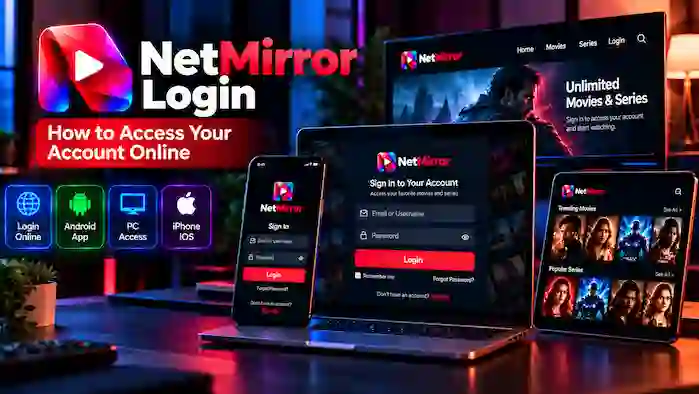
NetMirror login is a common search for users who want to access a NetMirror account or find out whether NetMirror provides a browser-based login option. This guide explains how to approach the login process, what to check before entering your credentials, and what to do when a login page does not work.
Because websites and application versions can change, always verify that you are using the correct and trustworthy NetMirror app download service before entering any personal information.
What Is NetMirror Login?
NetMirror login generally refers to signing into a NetMirror account through an available website or application.
Depending on the current service and platform, users may encounter a login screen when accessing certain features. However, not every website using the NetMirror name necessarily provides the same account system.
Before attempting to log in, confirm that you are using the intended website or application.
How to Access NetMirror Login
If a legitimate NetMirror service provides an account login, the general process is straightforward.
Step 1: Open the Correct Website or App
Open the verified NetMirror website or the compatible NetMirror application on your device.
Avoid clicking unfamiliar advertisements or random login pages that appear in search results.
Step 2: Find the Login Option
Look for a clearly labeled Login, Sign In, or similar option.
The exact location can vary depending on the website or application version.
Step 3: Enter Your Credentials
If an account is required, enter your login details only on the verified service.
Do not enter your password into pages that look suspicious or redirect you to unrelated domains.
Step 4: Complete Any Required Verification
Some services may require an additional verification step.
Follow the instructions provided by the legitimate service rather than downloading additional software to complete a login.
Step 5: Access Your Account
After successful authentication, you should be returned to the service’s available account or content interface.
NetMirror Login Online
The phrase NetMirror login online usually indicates that users want to sign in through a browser instead of using an installed application.
If a supported web interface is available, browser access may be possible on devices such as:
- Android phones
- Android tablets
- iPhone
- iPad
- Windows PCs
- Laptops
- Mac computers
Browser compatibility depends on the actual service and its current website.
For more information about browser access, see our NetMirror Web guide.
NetMirror Login on Android
Android users may access a login screen through the NetMirror application if the particular version provides account functionality.
Before signing in:
- Check that the application came from a source you trust.
- Make sure the application is compatible with your Android version.
- Open the application’s normal login interface.
- Avoid entering credentials into external pages opened through suspicious redirects.
If the login feature is not available in your version, do not install an unrelated application simply to obtain a login screen.
NetMirror Login on PC
If you are using a Windows PC or laptop, check whether NetMirror provides a compatible web interface.
An Android APK is not a native Windows application. Therefore, downloading an APK to a PC does not automatically provide a normal desktop login experience.
If browser access is supported, a current browser may be the simpler option.
NetMirror Login on iPhone
iPhone users should distinguish between Android APK access and browser or iOS access.
An APK is an Android application package and cannot be installed as a normal iPhone application.
If a compatible NetMirror web interface or iOS application exists, use the appropriate platform-specific method.
See our NetMirror for iOS guide for more information.
NetMirror Login Problems
A login page may fail for several different reasons. The first step is to identify whether the problem is with the website, application, account, or device.
Login Page Will Not Open
If the login page does not load:
- Check your internet connection.
- Refresh the page.
- Try another supported browser.
- Make sure the website address is correct.
- Check whether other websites are working normally.
Login Button Does Nothing
If the login button does not respond, refresh the page and check whether your browser is up to date.
Browser extensions or temporary page errors can sometimes interfere with website functionality.
Incorrect Login Details
If the service says that your credentials are incorrect, carefully re-enter them.
Avoid repeatedly entering sensitive information on a page if you are not certain that it belongs to the intended service.
Login Keeps Redirecting
Repeated or unexpected redirects should be treated carefully.
Close suspicious pages and verify the domain before attempting to sign in again.
Login Works but Account Does Not Load
This may be caused by a temporary service issue, browser problem, or application compatibility issue.
Try refreshing the page or restarting the application.
NetMirror Login and Password Safety
Your login credentials should be treated as private information.
Use the Correct Domain
Before entering a username or password, check the address bar carefully.
A website can look similar to another service while using a completely different domain.
Look for HTTPS
HTTPS helps protect information while it travels between your browser and a website, although HTTPS by itself does not prove that the website is legitimate.
Avoid Suspicious Login Pages
Do not enter your credentials on pages that:
- Use unrelated domains
- Contain excessive pop-ups
- Redirect repeatedly
- Ask for unnecessary personal information
- Require unrelated downloads before login
Do Not Share Your Password
Never share your login password with another person or enter it into an unfamiliar support form.
NetMirror Login Without an Account
Some users search for ways to access NetMirror without creating an account.
Whether an account is required depends on the particular service and the feature being accessed.
If a website does not require registration for basic access, you should not need to create an account simply because another website claims that one is mandatory.
Always follow the actual requirements displayed by the legitimate service.
NetMirror Login vs NetMirror APK
These two keywords represent different search intentions.
NetMirror login focuses on account access and authentication.
NetMirror APK focuses on obtaining and installing an Android application package.
A user can potentially encounter a login screen inside an application, but downloading an APK and signing into an account are separate steps.
| NetMirror Login | NetMirror APK |
| Account access | Application installation |
| Username/password may be involved | APK file is involved |
| Usually happens after opening the service | Happens before using the installed application |
| Browser or app dependent | Primarily Android dependent |
NetMirror Login vs NetMirror Web
NetMirror Web refers to browser-based access, while NetMirror login refers specifically to signing into an account.
A web version may or may not include a login feature.
If both are available, a typical flow could be:
Open supported website → Select Login → Enter credentials → Access available account features
However, the exact process depends on the service’s current interface.
How to Stay Safe When Using NetMirror Login
Following a few basic practices can reduce unnecessary risks.
Verify the Website
Check the complete domain before entering personal information.
Keep Your Browser Updated
Use a current version of your preferred browser.
Avoid Unknown Downloads
A login page should not normally require you to download unrelated APKs or executable files.
Review Browser Warnings
If your browser displays a security warning, do not ignore it automatically.
Use Strong Account Security
If the service supports stronger authentication or account-security features, use them where appropriate.
NetMirror Login on Different Devices
Android Phone
Use the compatible application or supported mobile website.
Android Tablet
The process is similar to Android phones, although the interface may be different.
Android TV
A TV application may not provide the same account interface as a mobile application. Check the TV version before attempting to sign in.
Windows PC
Use a supported browser or another officially supported desktop method.
Mac
A compatible browser-based interface may be the most practical option when available.
iPhone and iPad
Use a compatible iOS application or supported web interface rather than an Android APK.
NetMirror Login Not Working: Quick Checklist
If you cannot sign in, work through this checklist:
- Check your internet connection.
- Verify the website address.
- Confirm that your login details are correct.
- Refresh the page.
- Try a supported browser.
- Update your browser or application.
- Clear temporary browser data if appropriate.
- Check whether the service is temporarily unavailable.
- Avoid suspicious alternative login pages.
If the problem continues, identify whether the issue occurs only on one device or across multiple devices. That can help determine whether the problem is device-specific or service-related.
Frequently Asked Questions
What is NetMirror login?
NetMirror login refers to accessing a NetMirror account through a supported application or website when an account system is available.
Can I use NetMirror login online?
If a compatible web interface provides account access, you may be able to log in through a browser.
Do I need an account to use NetMirror?
That depends on the particular service and the features it provides. Not every NetMirror-related website has the same account requirements.
Why is my NetMirror login not working?
Possible causes include incorrect credentials, browser problems, compatibility issues, connection problems, or temporary service errors.
Can I log in to NetMirror on Android?
If your version of the application or website supports accounts, you can use its normal login interface.
Can I use NetMirror login on PC?
If a compatible web interface is available, you may be able to access it through a desktop browser.
Can I use NetMirror login on iPhone?
If a compatible iOS or web interface provides account access, iPhone users can use that platform-specific method.
Is NetMirror login safe?
Only enter credentials on a website or application that you have verified. Avoid suspicious domains, redirects, and pages requesting unnecessary information.
What should I do if the NetMirror login page keeps redirecting?
Close the page, verify the domain, and avoid entering your credentials until you are certain you are using the intended service.
Does NetMirror APK require login?
That depends on the particular application version and its available features. An APK itself is simply an Android application package and does not automatically imply that an account is required.
Final Thoughts
NetMirror login is primarily about accessing an account through a supported NetMirror application or web interface. The exact login process can vary depending on the version and platform you are using.
Before entering credentials, always verify the website or application source and check the address carefully. Android users should also distinguish between an APK download and the subsequent login process, while PC and iPhone users should look for platform-appropriate web or application access.
If the login page does not work, check your connection, browser, credentials, compatibility, and the website address before trying alternative downloads or unfamiliar login pages.
1 thought on “NetMirror Login: How to Access Your Account Online”