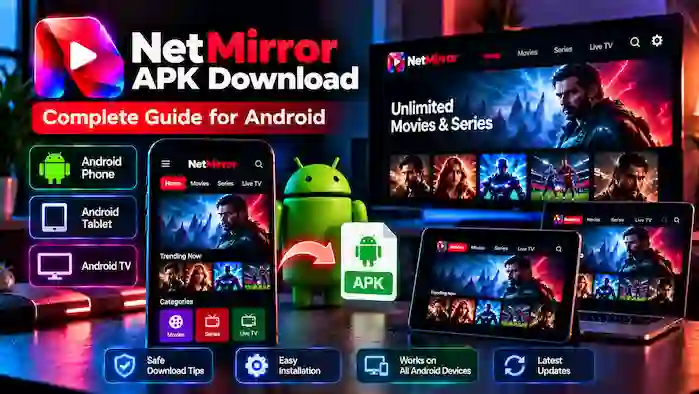
NetMirror APK download for Android is a common search for users who want to access a NetMirror-related Android application. Before downloading any APK, however, it is important to check device compatibility, verify the source, and understand whether an APK is actually needed.
This guide explains how Android APK downloads work, what to check before installation, how to troubleshoot common problems, and how to choose between an APK and browser-based access.
What Is NetMirror APK Download for Android?
NetMirror download refers to obtaining an Android application package associated with NetMirror.
APK stands for Android Package Kit. It is the file format Android uses to distribute and install applications outside the normal app-installation flow.
A NetMirror APK may be intended for compatible Android devices, but the name of a file alone does not prove that it is official or safe.
Before installing anything, verify the source and compatibility of the particular application version.
Why Do Users Search for NetMirror APK?
Users may search for an APK when they want to:
- Install an application on an Android phone
- Use the app without relying on a browser
- Reinstall an application
- Find a compatible version for their device
- Check whether a newer version is available
- Use the application on a compatible Android TV device
However, downloading an APK from an unknown website can create unnecessary security and compatibility risks.
NetMirror APK Compatibility
Before downloading an Android APK, check whether your device meets the application’s requirements.
Important factors can include:
- Android version
- Device architecture
- Available storage
- Screen compatibility
- Required system components
- Application version
An APK that works on one Android device may not work correctly on another.
Check Your Android Version
Open your device’s Settings and look for the section containing information about the Android version.
The exact menu can differ between Samsung, Xiaomi, Google Pixel, OnePlus, and other Android devices.
Compare your Android version with the application’s stated requirements before installing it.
NetMirror APK Download for Android Phone
Android phones are the main devices associated with APK installation.
Before downloading, make sure that:
- Your phone has sufficient storage.
- Your Android version is compatible.
- The APK comes from a source you can verify.
- You understand the permissions requested by the application.
- Your device security features are enabled.
Avoid repeatedly downloading different APK files when one fails to install. First determine why the original file did not work.
NetMirror APK Download for Android Tablet
Android tablets use the same basic APK format as Android phones, but compatibility can still vary.
A tablet may have:
- A different Android version
- Different screen dimensions
- Different hardware architecture
- Different performance characteristics
Check the application’s requirements before installation rather than assuming that phone compatibility guarantees tablet compatibility.
NetMirror APK Download for Android TV
Android TV devices have different interfaces and controls from mobile phones.
If a NetMirror-related application is intended for Android TV, check whether the version supports:
- Android TV
- Remote navigation
- TV screen layouts
- Your device’s Android version
- Available storage
A mobile application may technically install on some TV devices while still providing a poor user experience.
How to Download NetMirror APK
If you have confirmed that an APK is the appropriate and legitimate distribution method, follow these general steps.
Step 1: Check Your Device
Confirm your Android version, available storage, and device compatibility.
Step 2: Verify the Source
Use a source that you can identify and trust.
Do not assume that a website is legitimate simply because it uses the NetMirror name.
Step 3: Find the Correct Version
Check the version number and compatibility information.
Avoid choosing a file solely because it is labeled “latest.”
Step 4: Download the APK
Download the file using a trusted source and a secure connection.
Step 5: Check the Download
Before installation, verify that the file came from the expected source and has not been unexpectedly replaced or modified.
Step 6: Install the Application
If the file is compatible and Android allows installation from the chosen source, follow the system’s installation prompts.
Step 7: Open the App
After installation, launch the application and check whether it operates correctly.
Is NetMirror APK Safe?
The safety of an APK depends heavily on its source and contents.
An APK file should not be considered safe simply because its filename says “NetMirror.”
Before installation, consider:
- Who published the file?
- Where did you obtain it?
- What permissions does it request?
- Is the version information clear?
- Does your device security system report anything unusual?
- Does the application require permissions unrelated to its purpose?
If you cannot establish where a file came from, it is better not to install it.
NetMirror APK Permissions
Android applications may request different permissions depending on their functionality.
Review the permissions shown during installation or in your device’s application settings.
Be cautious if an application requests access that appears unrelated to what it claims to do.
For example, an application that primarily displays online content should have a clear reason for requesting highly sensitive device access.
NetMirror APK Latest Version
Many users search for NetMirror APK latest version because they want the newest release.
Before installing an update, check more than the version number.
Look for:
- Release information
- Compatibility requirements
- Changes from the previous version
- Source authenticity
- Update history
- Security information
A newer version can introduce changes that affect compatibility with older devices.
NetMirror APK Download 2026
Searches for NetMirror APK 2026 generally indicate interest in a current version.
Because APK versions can change, avoid relying on a version number copied from an old article or third-party page.
Instead, verify the current release information from a trustworthy source and compare it with your device requirements.
NetMirror APK Download Problems
An APK download can fail for several reasons.
Download Link Does Not Work
The link may be unavailable, expired, or incorrectly configured.
Try checking the source and using a legitimate alternative distribution method.
Download Stops
A weak connection can interrupt a large file download.
Check your internet connection and available storage.
File Is Corrupted
An incomplete download may produce an installation error.
Delete the incomplete file and obtain the application again from a trustworthy source.
“App Not Installed” Error
This can occur because of:
- Incompatible Android version
- Insufficient storage
- Conflicting application
- Corrupted APK
- Unsupported device architecture
- Incorrect application package
Identify the cause before trying another APK.
NetMirror APK Installation Guide
Once you have a compatible and trustworthy APK, Android’s installation process is generally straightforward.
Step 1: Locate the APK
Open your device’s file manager or download section.
Step 2: Select the File
Tap the downloaded APK.
Step 3: Review Android’s Warning
Android may display a security or installation warning depending on where the file came from.
Do not ignore warnings automatically.
Step 4: Confirm Installation
If you trust the source and the file is compatible, follow the system prompts.
Step 5: Launch the App
Once installation is complete, open the application and check its functionality.
NetMirror APK vs NetMirror Online
An APK and an online service provide different ways to access a service.
| NetMirror APK | NetMirror Online |
| Android application package | Browser-based access |
| Requires installation | Usually no app installation |
| Uses Android system resources | Uses browser resources |
| Android compatibility matters | Browser compatibility matters |
| May require updates | Website changes are handled online |
If you only need browser access, there may be no reason to install an APK.
NetMirror APK vs NetMirror WebView
WebView is an Android technology that allows applications to display web content inside an app.
An APK can contain an application that uses WebView, but APK and WebView are not the same thing.
Think of them as:
APK → Application package
WebView → Technology an application may use to display web content
NetMirror APK for PC
An Android APK is not a native Windows or macOS application.
If you want to use NetMirror on a PC, check whether a compatible web interface or legitimate desktop version is available.
Avoid downloading an Android APK simply because you want to use the service on Windows.
NetMirror APK for iPhone
An APK is designed for Android.
It cannot be installed normally on an iPhone or iPad.
iOS users should instead check for a compatible website or legitimate iOS application when available.
NetMirror APK Storage Requirements
Before downloading an APK, make sure your device has enough free storage.
Insufficient storage can cause:
- Failed downloads
- Incomplete files
- Installation errors
- Application crashes
Remember that installing an application can require more space than the size of the downloaded APK itself.
NetMirror APK Update Tips
If you already have a compatible application installed, consider these points before updating:
- Back up important application data when appropriate.
- Check the new version’s compatibility.
- Use a trusted source.
- Review changed permissions.
- Avoid unofficial modified versions.
- Keep Android’s security features enabled.
Do not install multiple versions simultaneously unless you know that your device and applications support it.
Common NetMirror APK Errors
Parse Error
A parse error can indicate that the APK is incompatible, corrupted, or intended for a different Android environment.
Insufficient Storage
Free enough storage and try again.
Installation Blocked
Android may restrict installation from certain sources. Review the warning carefully rather than disabling security features without understanding the consequences.
App Crashes After Installation
The application may be incompatible with your Android version or device.
Check for a supported release before trying another file.
Frequently Asked Questions
What is NetMirror APK download for Android?
It refers to obtaining an Android APK associated with a NetMirror-related application for installation on a compatible Android device.
Can I install NetMirror APK on any Android phone?
Not necessarily. Compatibility depends on Android version, hardware, architecture, and application requirements.
Can I install a NetMirror APK on iPhone?
No. APK is an Android package format and cannot be installed normally on iOS.
Can I use NetMirror APK on a PC?
An APK is not a native PC application. Check for a supported web interface or legitimate desktop solution instead.
Is the NetMirror APK safe?
Safety depends on the particular APK and its source. Verify the publisher, source, permissions, and file information before installation.
Why won’t my NetMirror APK install?
Possible causes include incompatible Android versions, insufficient storage, corrupted files, conflicting installations, or unsupported device architecture.
Should I always download the latest NetMirror APK?
Not automatically. Choose a version that is compatible with your device and comes from a source you can verify.
Can NetMirror APK work on Android TV?
Only if the particular application version is compatible with your Android TV environment.
Do I need an APK to use NetMirror online?
No. If a compatible web interface provides the functionality you need, you may be able to use it without installing an APK.
How can I avoid unsafe APK downloads?
Verify the source, review permissions, keep device security enabled, and avoid files from websites that cannot establish where their software comes from.
Final Thoughts
NetMirror APK download for Android is primarily an Android-focused search intent. Before downloading an APK, identify your device, check compatibility, verify the source, and review the application’s permissions.
Android phones, tablets, and TV devices can have different requirements, so one APK should not be assumed to work everywhere. Likewise, APK files are not designed for normal installation on iPhones or PCs.
If a supported web interface already provides what you need, NetMirror online may be a simpler option. When an APK is appropriate, prioritize compatibility and source verification rather than simply choosing the newest or most widely shared file.
1 thought on “NetMirror APK Download for Android: Complete Guide”