
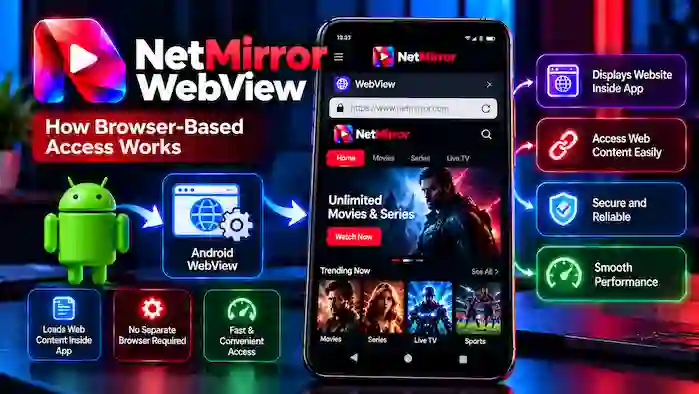
NetMirror WebView is a term users may search for when they want to understand how NetMirror-related web content can be displayed inside an application. WebView technology is commonly used by Android applications to display web pages without requiring users to open a separate browser.
This guide explains what WebView means, how it differs from a normal browser, how it may relate to NetMirror extension, compatibility considerations, common problems, and basic safety practices.
What Is NetMirror WebView?
NetMirror WebView generally refers to using Android’s WebView technology to display web-based content inside an application.
Android WebView is a system component that allows applications to load web content within an app interface. Instead of opening Chrome or another browser separately, an application can provide a built-in web viewing experience.
The exact way WebView is used depends on the application and its implementation.
What Is Android WebView?
Android WebView is a component that allows apps to display web pages within their own interfaces.
For example, an application may use WebView for:
- Login pages
- Help pages
- Account interfaces
- Web-based dashboards
- Embedded websites
- Online forms
- Other HTML-based content
WebView is different from a full browser because it is normally integrated into another application.
How NetMirror WebView May Work
If a NetMirror-related application uses WebView, the general process could look like this:
Open app → WebView loads web content → User interacts with the page → Content remains inside the app
The exact interface depends on the application.
A WebView does not automatically provide features that a website itself does not support. It simply provides a way for an application to display compatible web content.
NetMirror WebView vs Browser
A WebView and a normal browser can display web content, but they serve different purposes.
| NetMirror WebView | Normal Browser |
| Embedded inside an application | Standalone application |
| Uses app-controlled interface | Uses browser interface |
| May have limited browser controls | Usually provides full browser controls |
| Website loads inside an app | Website opens directly |
| App determines available functionality | Browser provides its own features |
If a website works correctly in a browser but not inside WebView, the difference may be related to compatibility or the way the application handles web content.
NetMirror WebView on Android
Android is the primary platform associated with WebView technology.
If an application relies on WebView, Android users should keep the relevant system components updated.
Depending on the Android version and device manufacturer, WebView functionality may be provided through an Android system component or integrated with the device’s browser environment.
Keeping system software updated can help prevent compatibility problems.
How to Check WebView on Android
If you are troubleshooting WebView-related behavior, you can generally check your Android system settings for WebView-related components.
The exact menu names vary between Android versions and manufacturers.
You may find WebView or related settings under areas such as:
- Apps
- System apps
- Default apps
- Developer options
- Installed applications
Do not change advanced settings unless you understand what they do.
NetMirror WebView and Chrome
On some Android devices, WebView functionality may be closely connected with Chrome or another system browser component.
This means that an outdated browser or WebView component can sometimes affect applications that display web content.
If an embedded page is not loading correctly, check whether your device has pending system or browser updates.
NetMirror WebView Download
Users sometimes search for NetMirror WebView download, but WebView should not automatically be treated as a separate NetMirror application.
WebView is an Android web-rendering component. It is not simply another version of the NetMirror APK.
If an application requires a particular system component, use the standard Android update mechanism or the trusted application source recommended by your device.
Avoid downloading random WebView APK files from unfamiliar websites.
NetMirror WebView APK
The phrase NetMirror WebView APK can be confusing because it combines an application package with WebView technology.
An APK is an Android application package.
WebView is a system technology used by applications to display web content.
A NetMirror-related application may use WebView internally, but that does not mean every APK described as a “WebView APK” is legitimate or necessary.
Always verify what software you are actually downloading.
Common NetMirror WebView Problems
WebView-related problems can appear in several forms.
Web Page Does Not Load
A blank screen or loading error may occur because of:
- Internet connectivity
- Outdated system components
- Website compatibility
- Application bugs
- Incorrect configuration
First check whether the same website loads normally in a standard browser.
White or Blank Screen
A blank WebView screen can sometimes indicate that the embedded page failed to render.
Try:
- Checking the internet connection.
- Restarting the application.
- Updating relevant system components.
- Checking whether the website works in a normal browser.
- Restarting the device.
WebView Keeps Crashing
If an application closes whenever it attempts to load web content, check for updates to Android and relevant browser components.
If the problem started immediately after an application update, the new version may also have a compatibility issue.
Login Page Does Not Work
Some websites require browser features that an embedded WebView may not handle in exactly the same way as a full browser.
If a login page fails inside an application, test the same page in a supported browser.
Videos Do Not Play
Video playback inside WebView depends on both the website and the application.
Possible causes include unsupported playback technology, network problems, outdated components, or restrictions implemented by the website.
NetMirror WebView Troubleshooting
If NetMirror-related web content is not loading correctly, work through these basic checks.
Check Your Internet Connection
Open another website in your browser to confirm that your connection is working.
Restart the Application
Close the application completely and open it again.
Update Android Components
Check whether your device has pending system, browser, or WebView-related updates.
Clear Temporary App Data
If appropriate, clearing an application’s temporary cache can sometimes resolve loading problems.
Be careful when clearing app data because it may remove stored settings or account information.
Test the Website in a Browser
Open the relevant web address in a standard browser.
If it works in the browser but not inside the application, the issue may be related to the application’s WebView implementation.
NetMirror WebView vs NetMirror Web
These terms describe different things.
NetMirror Web refers to browser-based access to a web interface.
NetMirror WebView refers to displaying web content within an application using WebView technology.
A simple example is:
NetMirror Web: Website → Browser
NetMirror WebView: Website → Application → WebView
The content may originate from the web in both cases, but the way it is displayed is different.
NetMirror WebView vs NetMirror APK
An APK is a package used to install an Android application, while WebView is a technology that an application can use internally.
Therefore, they should not be considered competing file types.
A NetMirror APK could potentially contain an application that uses WebView to display certain pages.
Is NetMirror WebView Safe?
WebView itself is a standard Android technology. Safety concerns generally relate to the application or website being displayed through it.
Before using an unfamiliar application:
- Verify its source.
- Check requested permissions.
- Avoid suspicious downloads.
- Keep Android updated.
- Do not enter sensitive information into unverified pages.
- Review unexpected redirects carefully.
A WebView does not make an unknown application trustworthy simply because it uses a standard Android component.
NetMirror WebView Permissions
Permissions should be evaluated based on what the application actually needs.
An application displaying a website through WebView should not automatically require unrelated sensitive permissions.
If an application requests permissions that seem unrelated to its advertised function, review them carefully before continuing.
NetMirror WebView on Android TV
WebView technology can also be used on Android TV, but the experience can differ from mobile Android.
TV users should consider:
- Remote-control navigation
- Screen layout
- Android TV compatibility
- Text input
- Web page responsiveness
- Application requirements
A web page designed for touch navigation may not work comfortably with a TV remote.
NetMirror WebView on Android Phones
On Android phones, WebView can provide a convenient way to display web pages inside an application.
Because the screen is smaller, responsive website design is particularly important.
If a page appears incorrectly inside an application but works correctly in Chrome, the issue may be related to the application’s embedded WebView configuration.
When Should You Use WebView?
WebView can be useful when an application needs to provide web-based functionality without sending users to another application.
It may be suitable for:
- Embedded account pages
- Help sections
- Web dashboards
- Web-based settings
- Embedded content interfaces
However, a full browser may be better when users need advanced browser controls, multiple tabs, extensions, downloads, or other browser-specific functionality.
Frequently Asked Questions
What is NetMirror WebView?
NetMirror WebView refers to the concept of displaying NetMirror-related web content inside an application using Android WebView technology.
Is WebView the same as a browser?
No. WebView is primarily a component that applications use to display web content, while a browser is a standalone application with broader browsing features.
Is NetMirror WebView an APK?
Not necessarily. WebView is a technology used by applications. An APK is an Android application package.
Can WebView work on Android?
Yes. WebView is commonly used by Android applications to display web content.
Why is NetMirror WebView showing a blank screen?
Possible causes include network problems, outdated system components, website incompatibility, or an issue with the application’s WebView implementation.
Why does NetMirror work in Chrome but not WebView?
The full browser may support features or configurations that the embedded WebView implementation does not handle in the same way.
Should I download a separate NetMirror WebView APK?
Do not download random APKs simply because they are labeled as WebView files. First determine whether your device or application actually requires a particular component.
Can WebView play online videos?
WebView can display compatible web-based video content, but playback depends on the website, application, device, and supported technologies.
Can NetMirror WebView work on Android TV?
It may, depending on the application and TV environment. However, mobile-oriented web pages may not provide an ideal remote-control experience.
Final Thoughts
NetMirror WebView is best understood as a WebView-based way of displaying web content inside an Android application rather than as a completely separate type of NetMirror service.
When troubleshooting WebView issues, first determine whether the problem is caused by the network, the website, the application, or the Android system components responsible for rendering web content.
Keep your device and relevant software updated, verify application sources, and avoid downloading unknown APK files just to fix a WebView problem. If the same page works correctly in a normal browser but fails inside an application, the issue may be specific to that application’s WebView implementation.
1 thought on “NetMirror WebView Explained: How Browser-Based Access Works”