
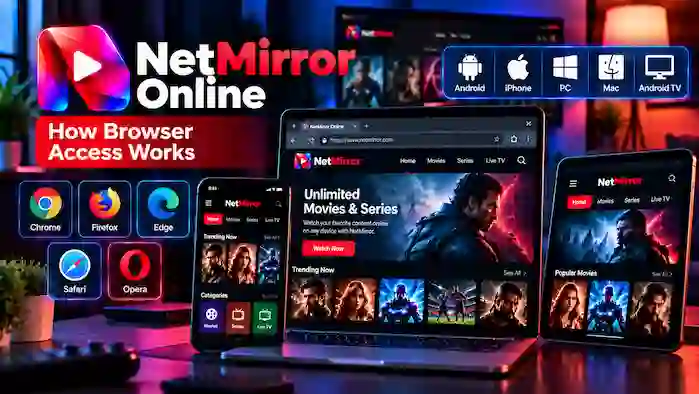
NetMirror online is a search term used by people who want to access NetMirror-related content through a web browser instead of installing an Android application. Browser-based access can be convenient because it does not require an APK, but the available features depend on the actual website and its current compatibility.
This guide explains what NetMirror WebView online means, how browser access works, which devices may be suitable, how to troubleshoot common problems, and what to consider before using an unfamiliar website.
What Is NetMirror Online?
NetMirror online generally refers to accessing a NetMirror-related web interface through an internet browser.
Unlike an Android APK, browser-based access does not require installing an Android application package. A user can potentially open a compatible website using a browser on a phone, tablet, computer, or other supported device.
However, not every website using the NetMirror name is necessarily the same service. Always verify the website address and source before entering personal information or downloading anything.
How NetMirror Online Works
Browser-based access follows a simple process:
Open a supported browser → Visit the appropriate website → Browse the available interface → Use supported features
The experience depends on the website, browser, device, internet connection, and current service availability.
A browser can generally access web pages without requiring an APK installation, making this approach different from installing the NetMirror Android app.
NetMirror Online vs NetMirror APK
The two keywords represent different access methods.
| NetMirror Online | NetMirror APK |
| Browser-based access | Android application package |
| No APK installation required | APK installation may be required |
| Uses a web browser | Uses an Android application |
| Browser compatibility matters | Android compatibility matters |
| Works through a website when available | Designed for compatible Android devices |
If your main goal is browser access, look for a supported web interface rather than downloading an APK unnecessarily.
How to Access NetMirror Online
If a legitimate NetMirror web interface is available, the general process is straightforward.
Step 1: Choose a Supported Device
You can use a compatible smartphone, tablet, laptop, desktop computer, or another supported device.
Step 2: Open Your Browser
Use an up-to-date browser such as Chrome, Firefox, Edge, Safari, or another compatible browser.
Step 3: Verify the Website
Before entering any information, carefully check the website address.
Avoid pages that use suspicious redirects, excessive pop-ups, or unrelated domains.
Step 4: Open the Web Interface
Enter the verified web address in your browser.
If the service is available, the web interface should load.
Step 5: Browse Available Features
Explore the available navigation, search, categories, or other functions provided by the website.
NetMirror Online on Android
Android users can use a mobile browser when a compatible web interface is available.
The main advantages include:
- No APK installation
- Easy browser access
- No additional application storage
- Familiar browser controls
- Easy switching between websites
The experience can vary depending on the phone, Android version, browser, and website design.
NetMirror Online on iPhone
iPhone users can also use a browser-based service when the website supports iOS browsers.
This can be particularly useful because an Android APK cannot be installed as a native iPhone application.
Instead of searching for an iOS version of an APK, check whether a supported web interface is available.
NetMirror Online on PC
A browser-based service can be convenient on Windows PCs and laptops.
Simply using a browser avoids treating an Android APK as if it were a native Windows application.
Before using the website, check:
- Browser compatibility
- Internet connection
- Website availability
- Screen layout
- Supported features
NetMirror Online on Mac
Mac users can similarly use a compatible browser if the NetMirror web interface supports their browser and operating system.
Safari, Chrome, Firefox, and other browsers may behave differently depending on the site’s implementation.
If one browser has a problem, testing another supported browser can help determine whether the issue is browser-specific.
NetMirror Online on Android TV
Browser-based access on Android TV can be less convenient than on a phone or computer.
TV users should consider:
- Remote navigation
- Screen layout
- Browser availability
- Text input
- Website responsiveness
A website designed primarily for touchscreens may not be optimized for a TV remote.
NetMirror Online Watch
The search phrase NetMirror ohttps://thenetmiror.com/netmirror-webview-explained/nline watch generally indicates that users want to access entertainment content directly through a browser.
If the website provides supported playback, the normal process may involve:
- Opening the web interface.
- Browsing available content.
- Searching for a title.
- Selecting an available item.
- Using the browser-based player.
Available content and playback features can change, so users should rely on the current website interface rather than assuming that every feature is available.
NetMirror Online Without Download
One reason users search for NetMirror online is to avoid downloading an application.
Browser access can eliminate the need for:
- APK files
- Application installation
- Additional app storage
- Manual APK updates
However, browser access does not automatically mean that every feature available in an application will also be available online.
The website determines what functions are provided.
NetMirror Website
A NetMirror website is the browser-based route users may be looking for when searching for online access.
Before using a website, verify:
- The complete domain
- HTTPS connection
- Publisher or service information
- Privacy information
- Unexpected redirects
- Download prompts
Be particularly careful with pages that claim you must install unrelated software before accessing basic web content.
NetMirror Online Login
If a supported NetMirror website includes an account system, users may encounter a login option.
Only enter login details on a website you have verified.
If you are unexpectedly redirected to another domain for login, stop and verify the destination before providing credentials.
For more information, see our NetMirror Login guide.
NetMirror Online Features
The available features depend on the current web interface, but users may look for functionality such as:
Search
A search function can make it easier to locate specific content.
Categories
Categories can help organize available titles or sections.
Browser Playback
If supported, content may be played directly within the browser.
Subtitles
Some web-based players may provide subtitle controls when supported by the content.
Quality Controls
Some players offer multiple quality settings, depending on the available stream.
Responsive Interface
A well-designed website can adapt to phones, tablets, and larger computer screens.
Do not assume that every NetMirror-related website offers all of these features.
NetMirror Online Troubleshooting
Browser access can sometimes fail for technical reasons.
Website Does Not Load
Try these basic checks:
- Test your internet connection.
- Refresh the page.
- Open another website.
- Try a supported browser.
- Check whether the website address is correct.
Page Loads Slowly
Slow loading can be related to the network, browser, device performance, or the website itself.
Close unnecessary browser tabs and check your connection.
Video Does Not Play
If browser playback is supported but a video does not start, check:
- Internet connection
- Browser compatibility
- Browser updates
- Available playback controls
- Whether the problem affects other content
Website Keeps Redirecting
Repeated unexpected redirects are a reason to stop and verify the website.
Do not continue entering credentials or downloading files from suspicious pages.
Mobile Layout Looks Incorrect
If the website looks fine on a computer but poorly on a phone, the site may not be fully optimized for mobile screens.
Try rotating the device or using another supported browser, but do not install an unknown application simply to fix a website layout.
Is NetMirror Online Safe?
Safety depends on the actual website you are visiting.
The term “NetMirror online” alone does not establish that a particular website is legitimate.
Before using a site:
Check the Domain
Make sure the address is exactly the one you intended to visit.
Check the Connection
HTTPS provides encrypted communication between your browser and the website, although it does not by itself prove that the site is trustworthy.
Avoid Suspicious Downloads
A website should not require unrelated APKs, browser extensions, or executable files just to display an ordinary web page.
Protect Personal Information
Do not provide passwords, payment details, or other sensitive information to unfamiliar websites.
Review Browser Warnings
If your browser displays a security warning, take it seriously rather than bypassing it automatically.
NetMirror Online vs App
Both methods can provide access to web-related content, but they have different requirements.
| Web Access | App Access |
| Uses browser | Uses installed application |
| No APK required | Application package may be required |
| Easy to access across supported browsers | Depends on device compatibility |
| Browser updates may affect experience | App updates may be required |
| Uses browser storage and controls | Uses application storage and permissions |
Choose the method that matches your device and the features you actually need.
Frequently Asked Questions
What does NetMirror online mean?
NetMirror online generally refers to accessing a NetMirror-related service through a web browser instead of installing an Android APK.
Can I use NetMirror online without downloading an APK?
If a compatible web interface is available, browser access may not require an APK.
Can I access NetMirror online on Android?
Yes, if the relevant website supports mobile browsers and your device can access it.
Can I use NetMirror online on iPhone?
A compatible web interface can potentially be accessed through an iPhone browser.
Can I use NetMirror online on PC?
If a supported web version exists, you can access it through a compatible desktop browser.
Does NetMirror online require login?
Not necessarily. Whether login is required depends on the specific service and features being accessed.
Why is NetMirror online not working?
Possible causes include website availability, browser compatibility, internet problems, incorrect website addresses, or temporary technical issues.
Why does NetMirror work on my phone but not PC?
The website may have different browser, screen, or compatibility behavior on different devices.
Do I need a browser extension for NetMirror online?
Not necessarily. A website can generally be accessed directly through a browser unless its functionality specifically requires an extension.
Is NetMirror online the same as NetMirror Web?
The terms can describe similar browser-based access, but the exact meaning depends on the service and website being referenced.
Final Thoughts
NetMirror online is primarily a browser-based search intent for users who want to access NetMirror-related web content without installing an Android APK.
The main advantage of web access is convenience: when a compatible website exists, users can open it directly in a browser without installing additional software. This can be particularly useful for PC, laptop, iPhone, and tablet users.
Before using any NetMirror-related website, verify the domain, review browser warnings, avoid suspicious downloads, and protect your personal information. If browser access does not work, check your connection, browser compatibility, and the website address before trying unfamiliar applications or extensions.
1 thought on “NetMirror Online: How Browser Access Works”